Everything you need, from invitation to memory book.
Every Occasi invitation comes with a private planning studio. Here is what’s inside, in roughly the order you’ll use it. The pictures are real screens from our demo, filled with sample guests.
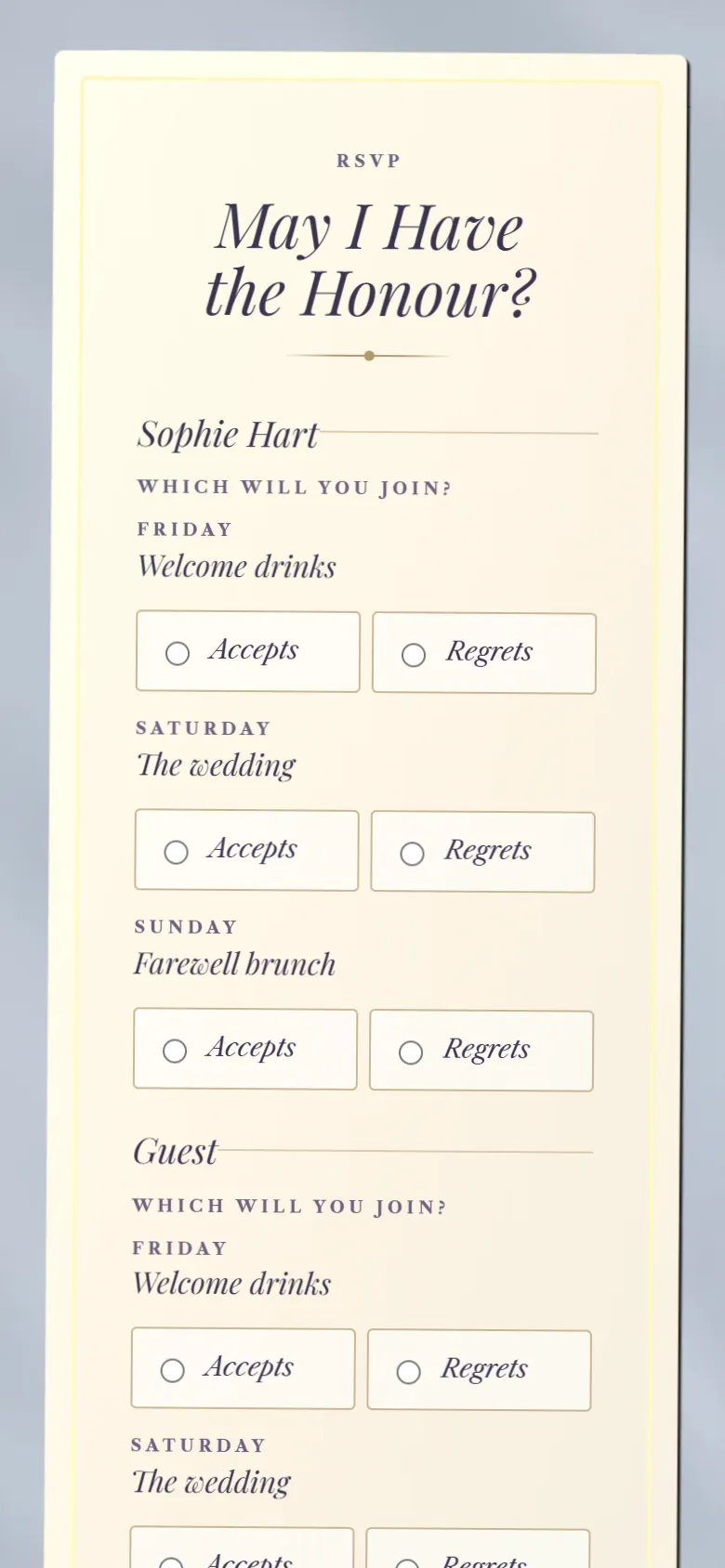
Guests open your invitation in their browser and reply there, with no app and no account. Each reply goes straight to your studio.
Multi-day celebrations
One invitation for the whole weekend.
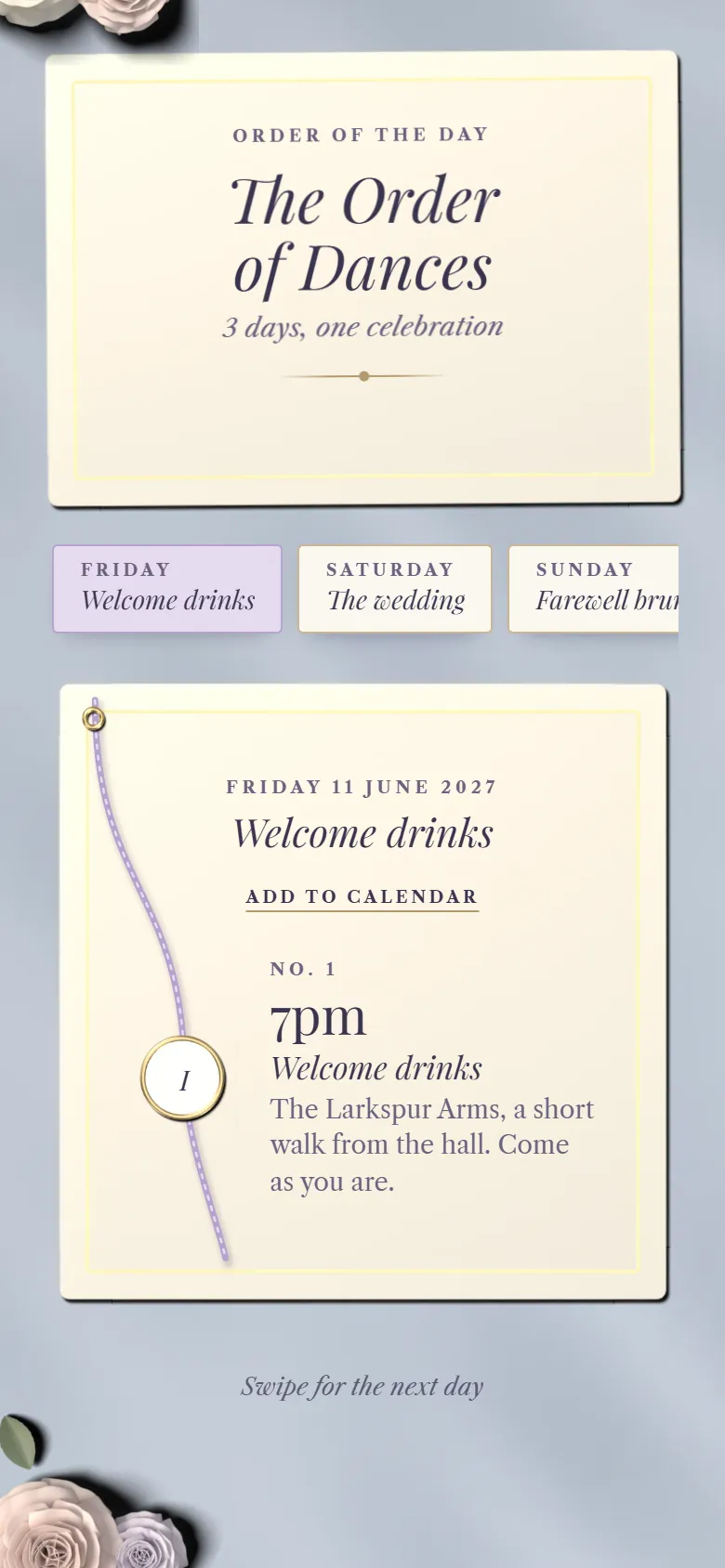
Add each event, from the welcome drinks to the farewell brunch, with its own time and place. Guests see the events you’ve invited them to and reply to each one, for everyone in their household.
A separate reply for every event
Invite some households to the evening or the weekend only
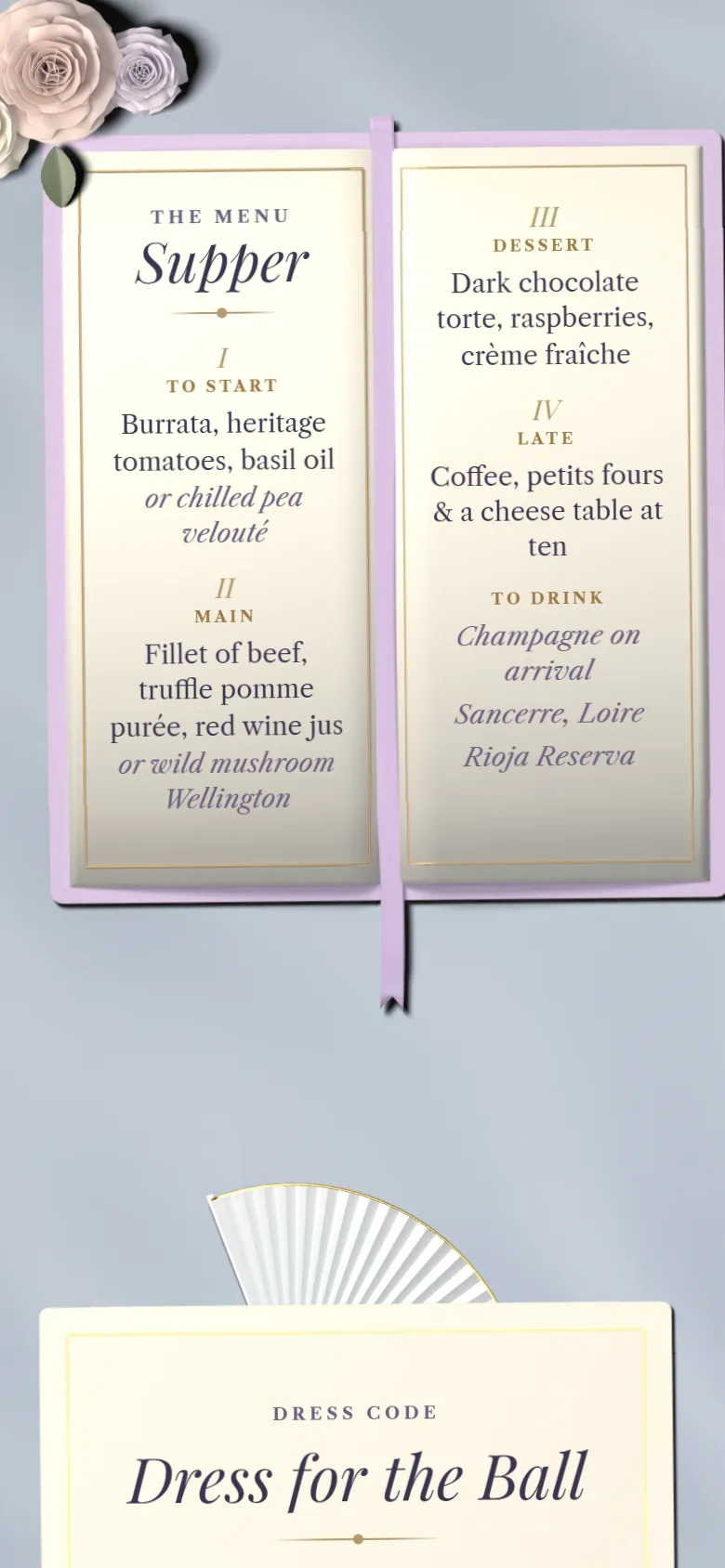
Share a menu for each event and let guests choose their meal when they reply. Allergies and dietary needs are asked in the same form, so nothing gets lost in a message thread.
Meal choices for each event
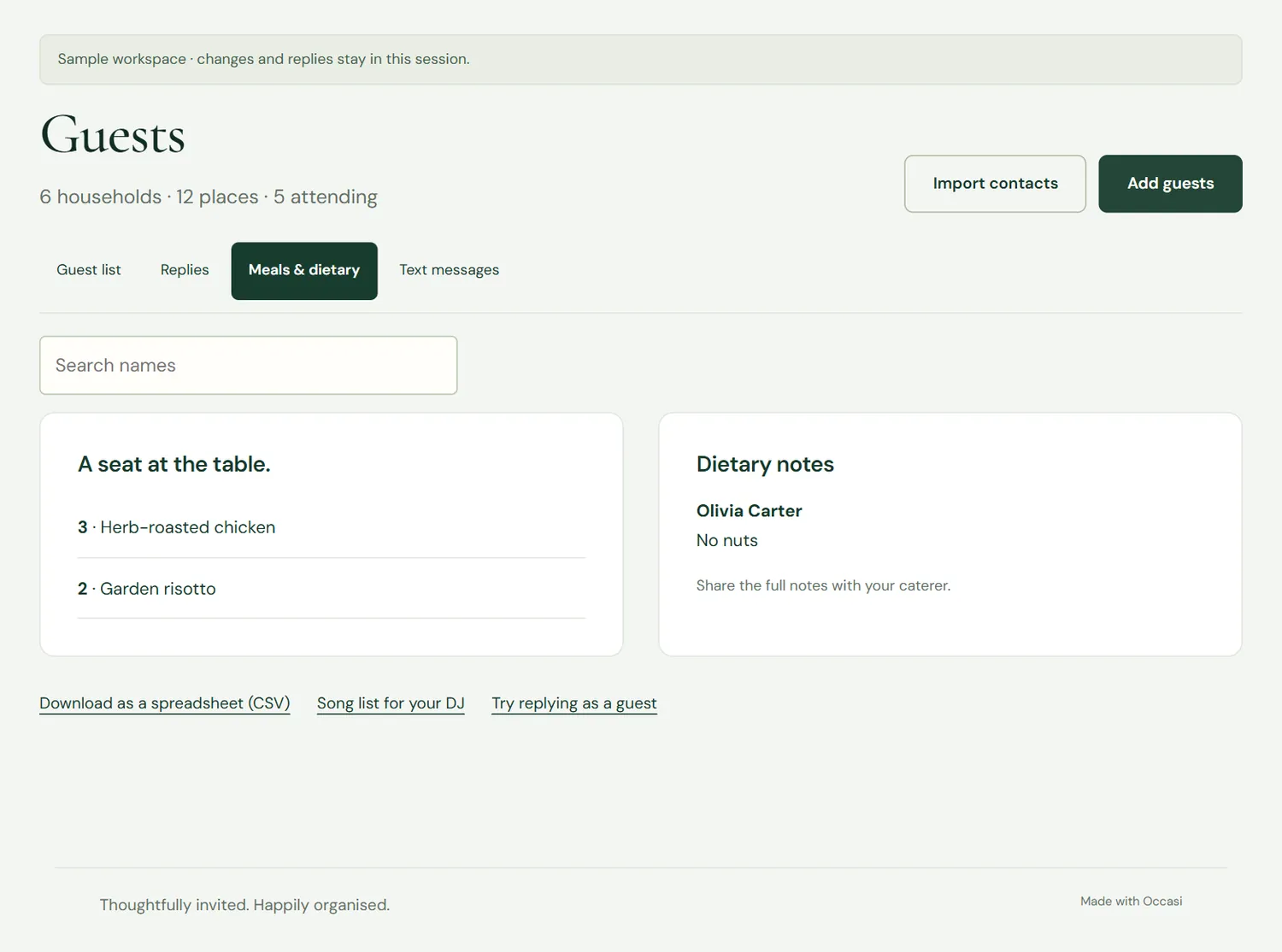
Allergies and dietary notes, by guest
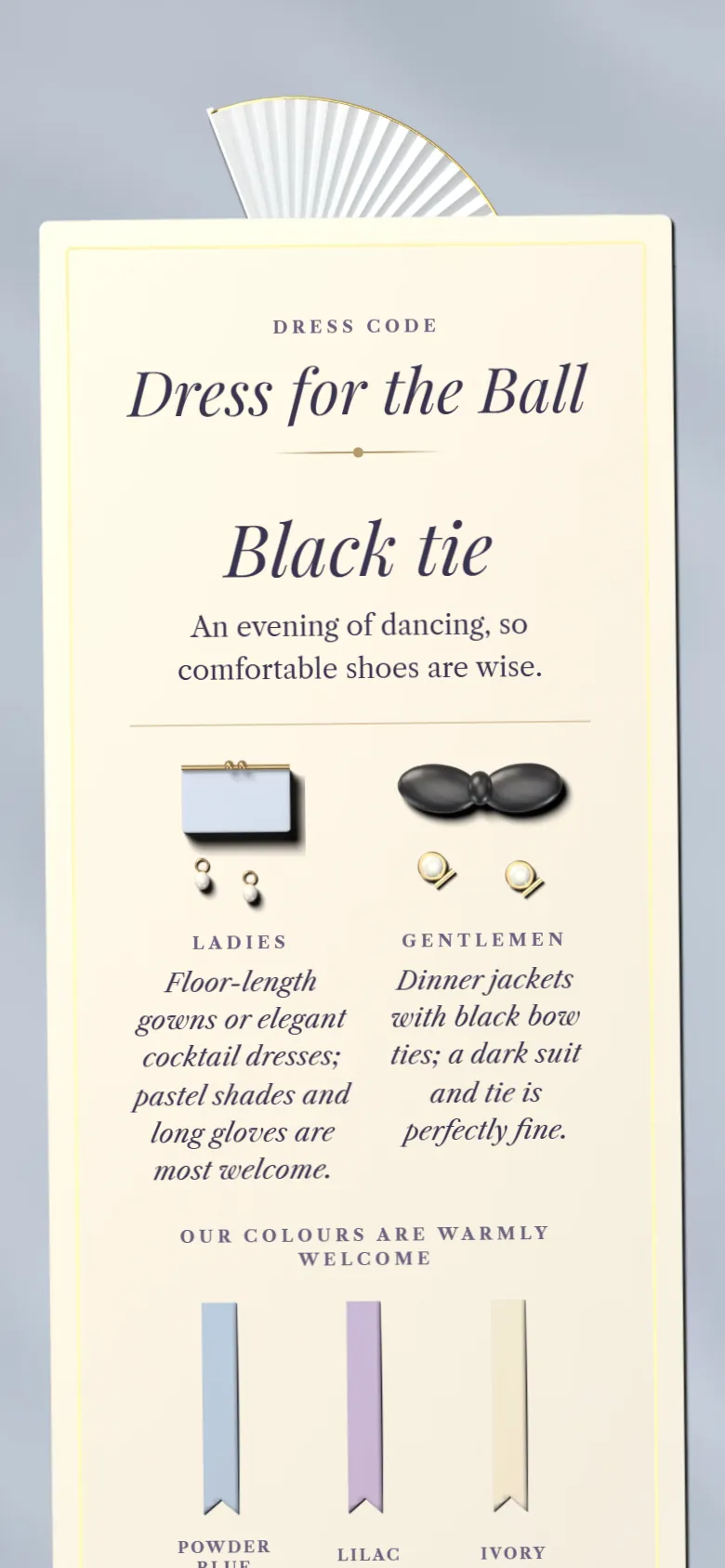
A dress code for each event, with colours
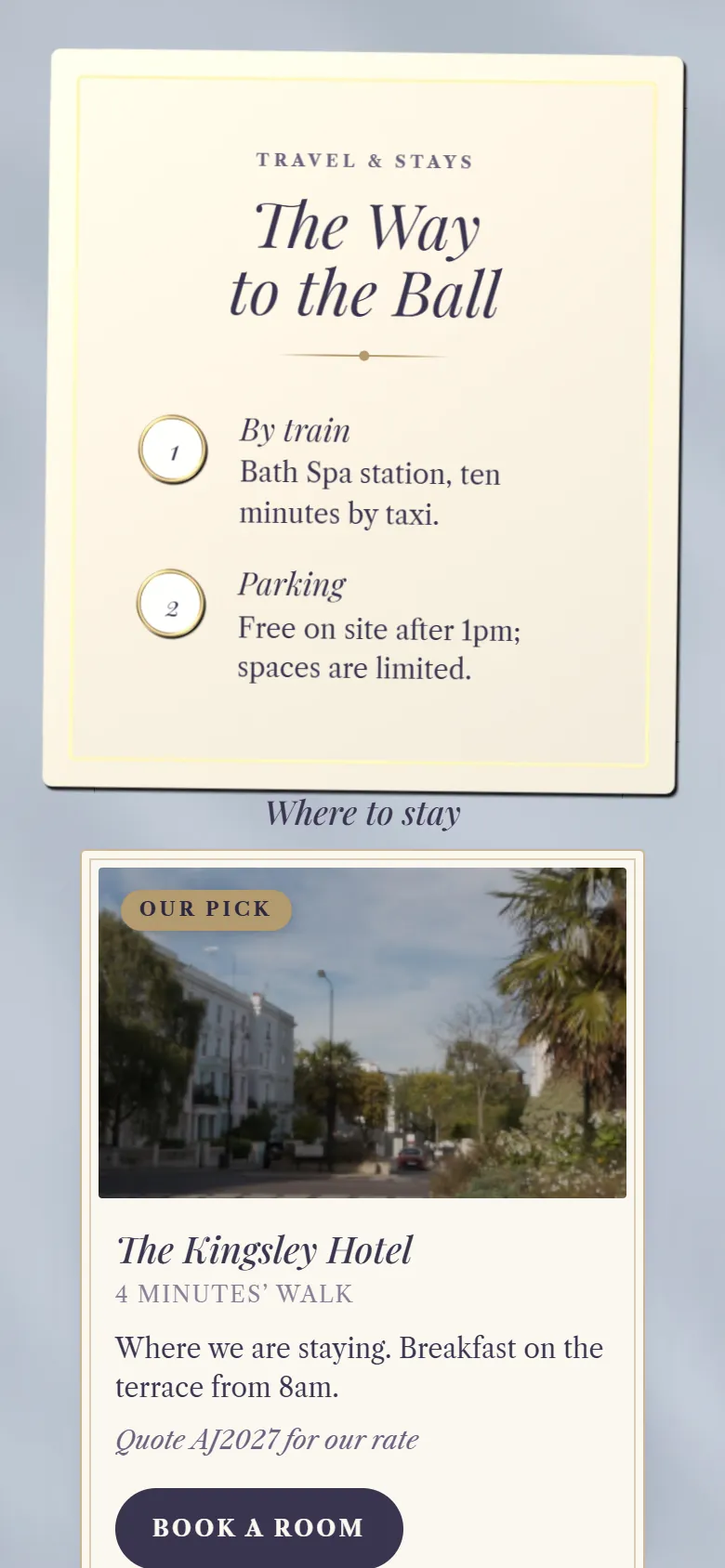
Travel and places to stay
Getting there, and somewhere to sleep.
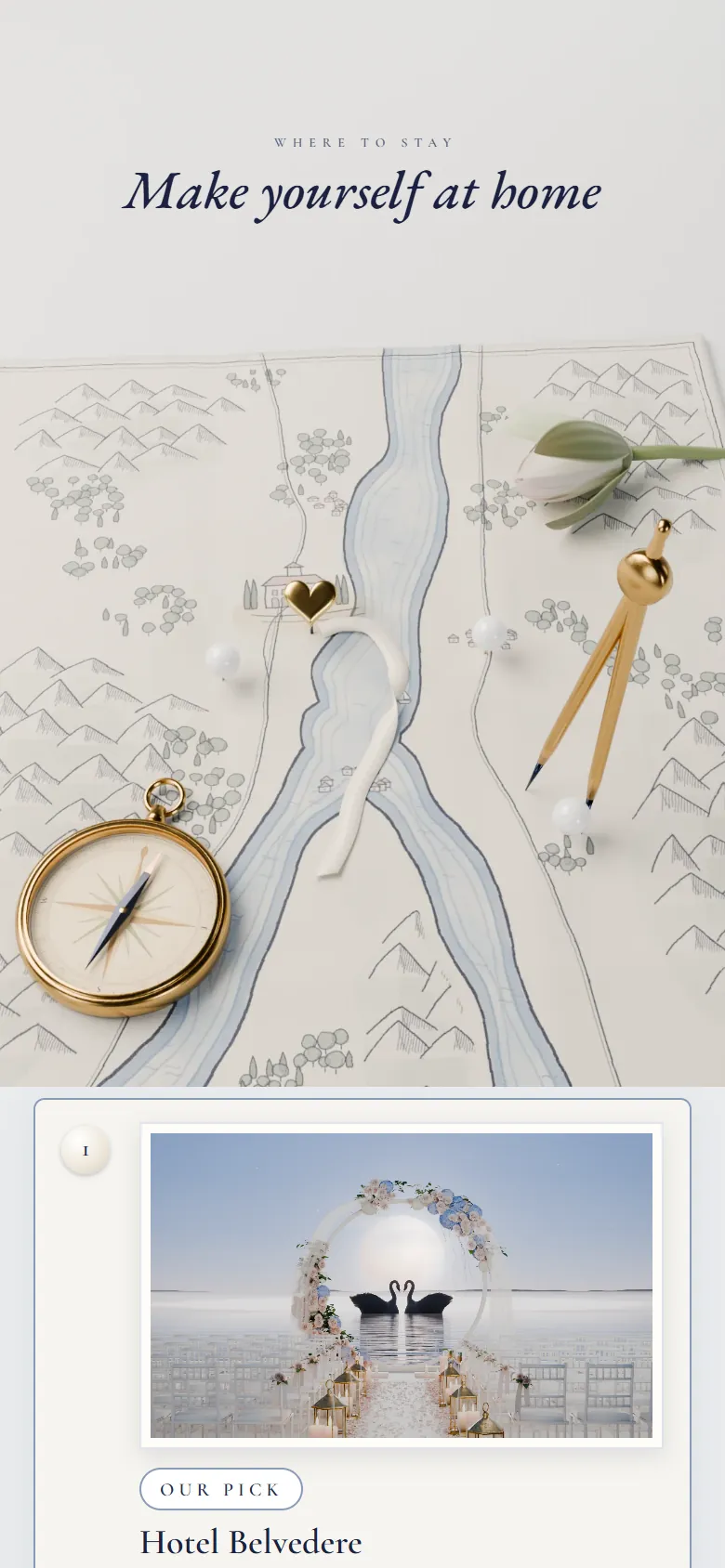
Add directions, parking and the hotels you recommend, with a booking link and any rate code you’ve arranged. Some designs place them on an illustrated map.
Travel notes for trains, taxis and parking
Recommended hotels with booking links
Your venue with its address and map link
Save-the-dates
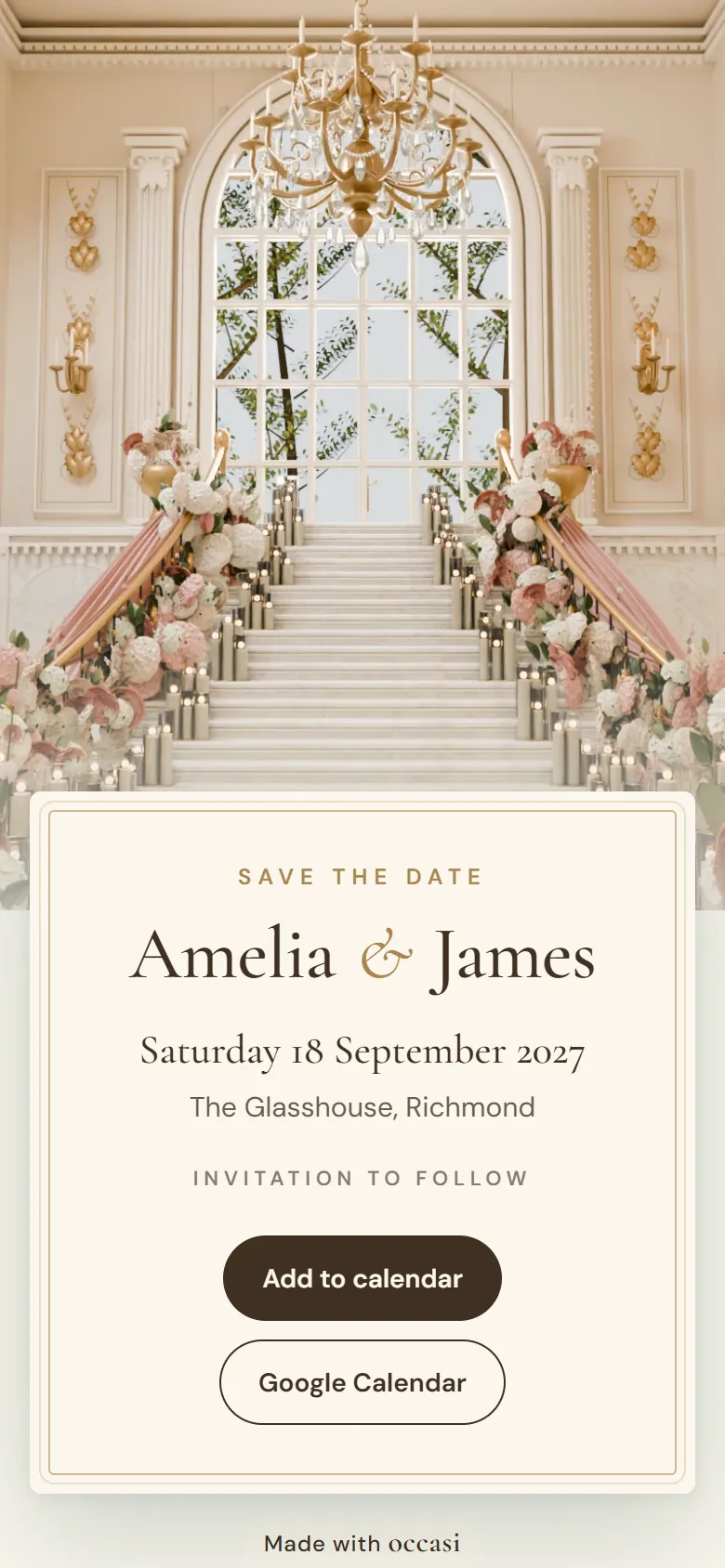
Save-the-date cards, included.
Before your invitation is ready, send a digital save-the-date in the same design, with your names, the date, the place and “Invitation to follow”. Guests can add the date to their calendar in one tap.
Included in Standard and Signature
Share its link by WhatsApp, text or email
Sample replies from the studio demo.
Song requests
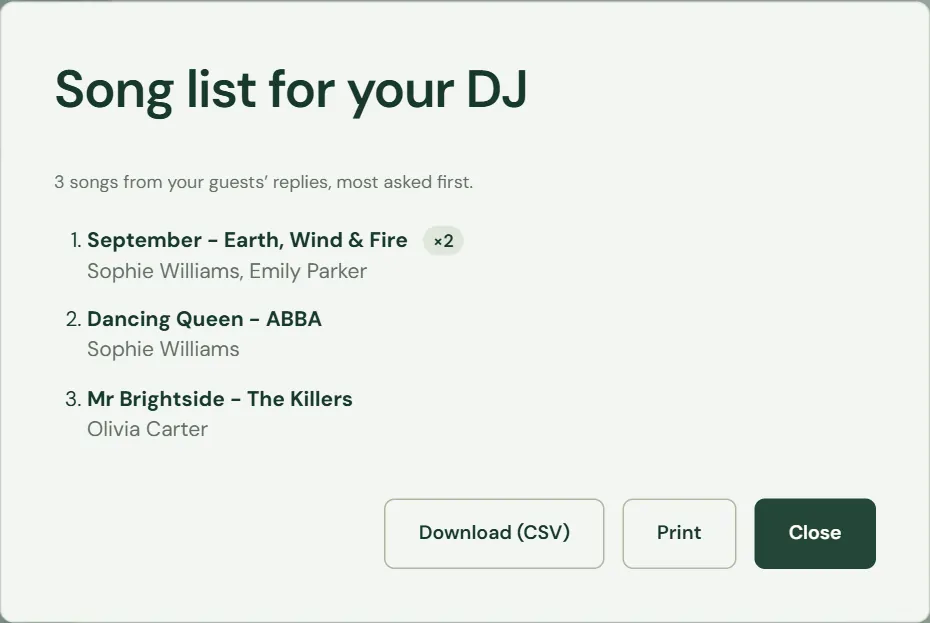
A song list for your DJ.
Turn on “Ask for a song request” and guests can suggest a song when they reply. Occasi gathers them into one list, counts each song once with who asked for it, and puts the most requested first.
Download it as a spreadsheet
Or print it and hand it over
Sharing
Send it from your own phone.
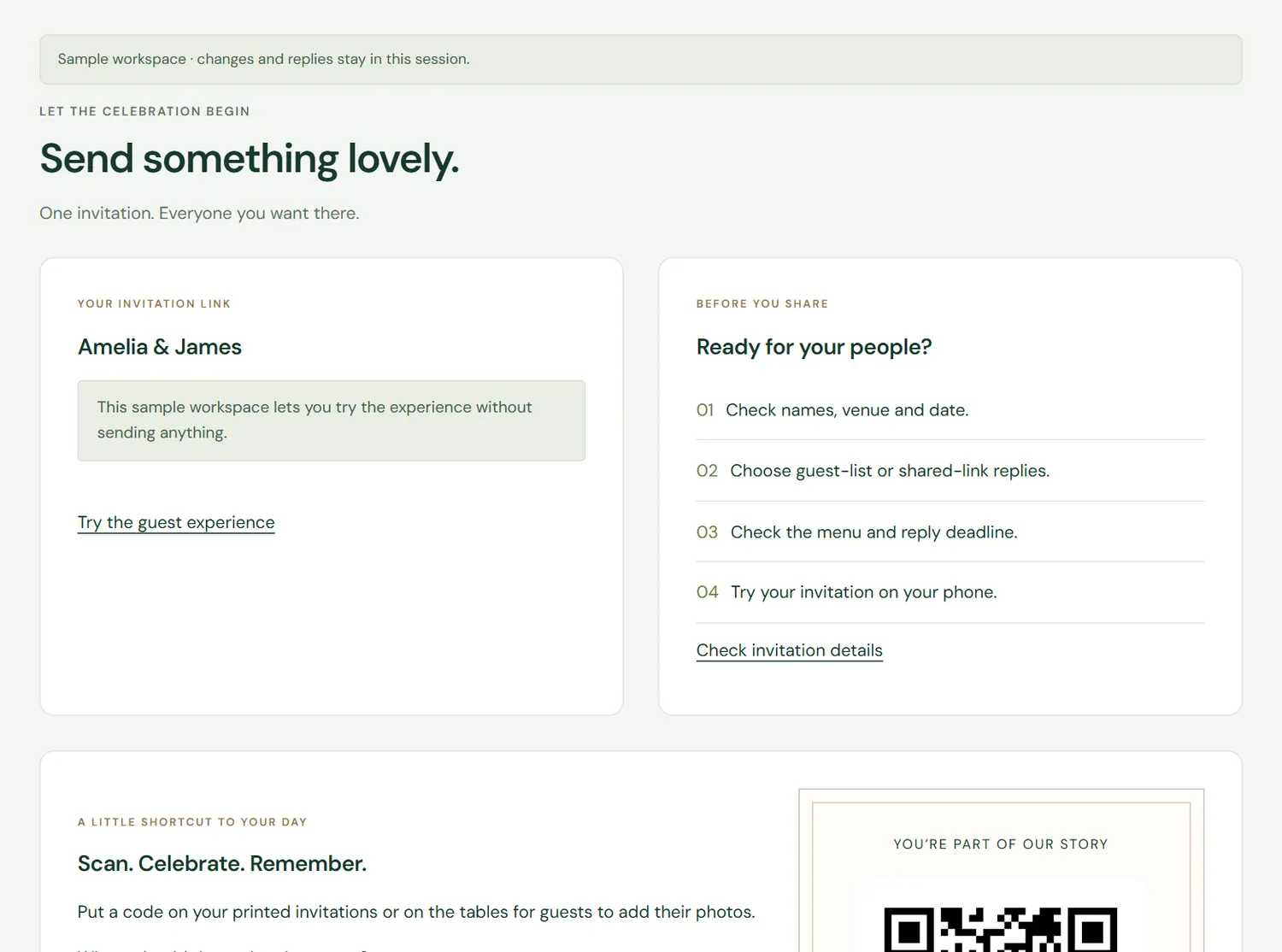
Share your invitation link by WhatsApp, email or text, or download a QR code for printed cards. You choose who gets it, and the link stays the same if you change a detail later.
One link, or a QR code as PNG or SVG
Send each household its own personal link, or let guests find their name on your list
Set a reply-by date and how many people each reply can include
Your storyA few moments from your story, laid out as milestones, a storybook, polaroids or a film strip.
Photos and your peopleA gallery of your photos, and your wedding party with an optional small photo of each person.
Questions, answeredParking, children, the dress code, the timings. Answer them once on the invitation.
An opening of its ownMost designs open with an animation, played once on each guest’s phone or computer, and many count down the days.
MusicUpload your own song or choose ours. It starts when a guest opens the invitation.
Your gift listLink to the gift list you already have. Guests see it after they say yes.
Text invitationsAn optional add-on for UK mobiles, at 10p a text segment from a balance you top up. Each text links to the guest’s own invitation, you approve every send, and guests can stop texts with one tap.
02 · Planning
The replies become your plan.
What your guests tell you goes straight into your private studio, ready for the seating plan and the caterer. Your budget and notes stay there too. Guests never see them.
Guest list and replies
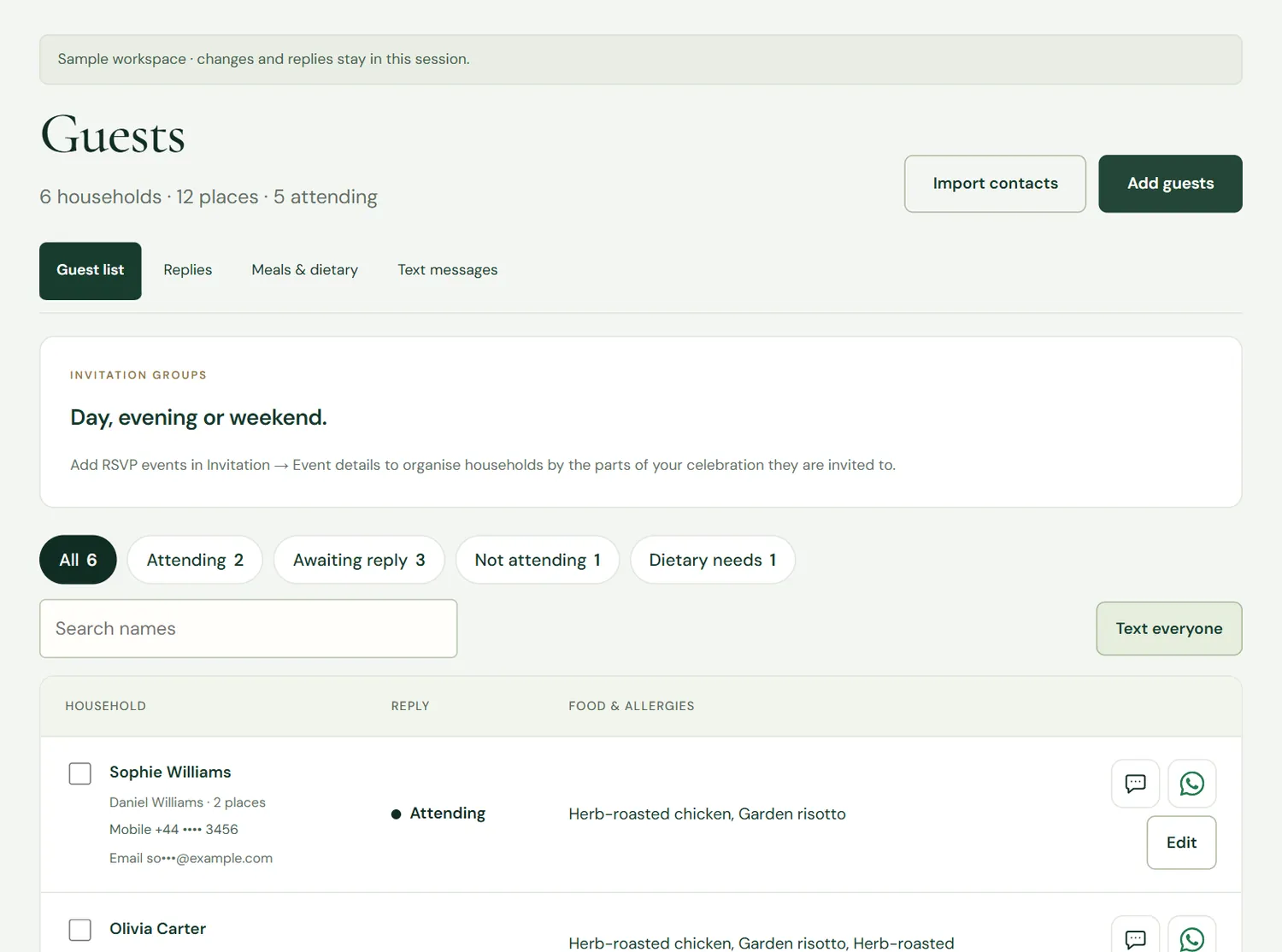
Everyone in one list, by household.
Add guests by hand or import them from your phone’s contacts or a spreadsheet. As replies come in you can see who is coming, who hasn’t answered yet, and what each person will eat.
Households kept together, with their own allowance
Filter by attending, awaiting reply or dietary needs
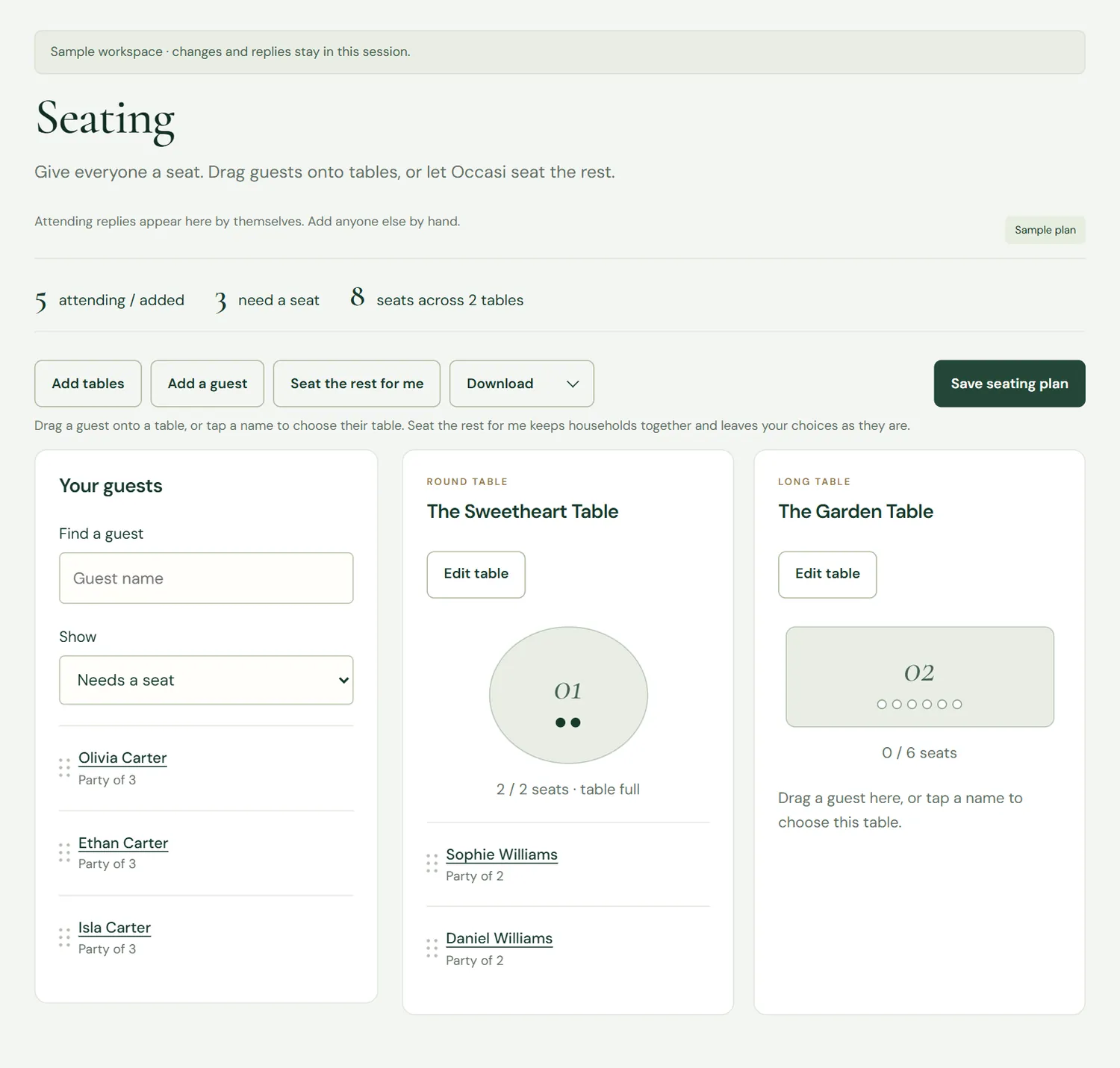
Add round or long tables, then drag guests onto them or tap a name to choose a table. “Seat the rest for me” fills the gaps and keeps households together, without moving anyone you’ve already placed.
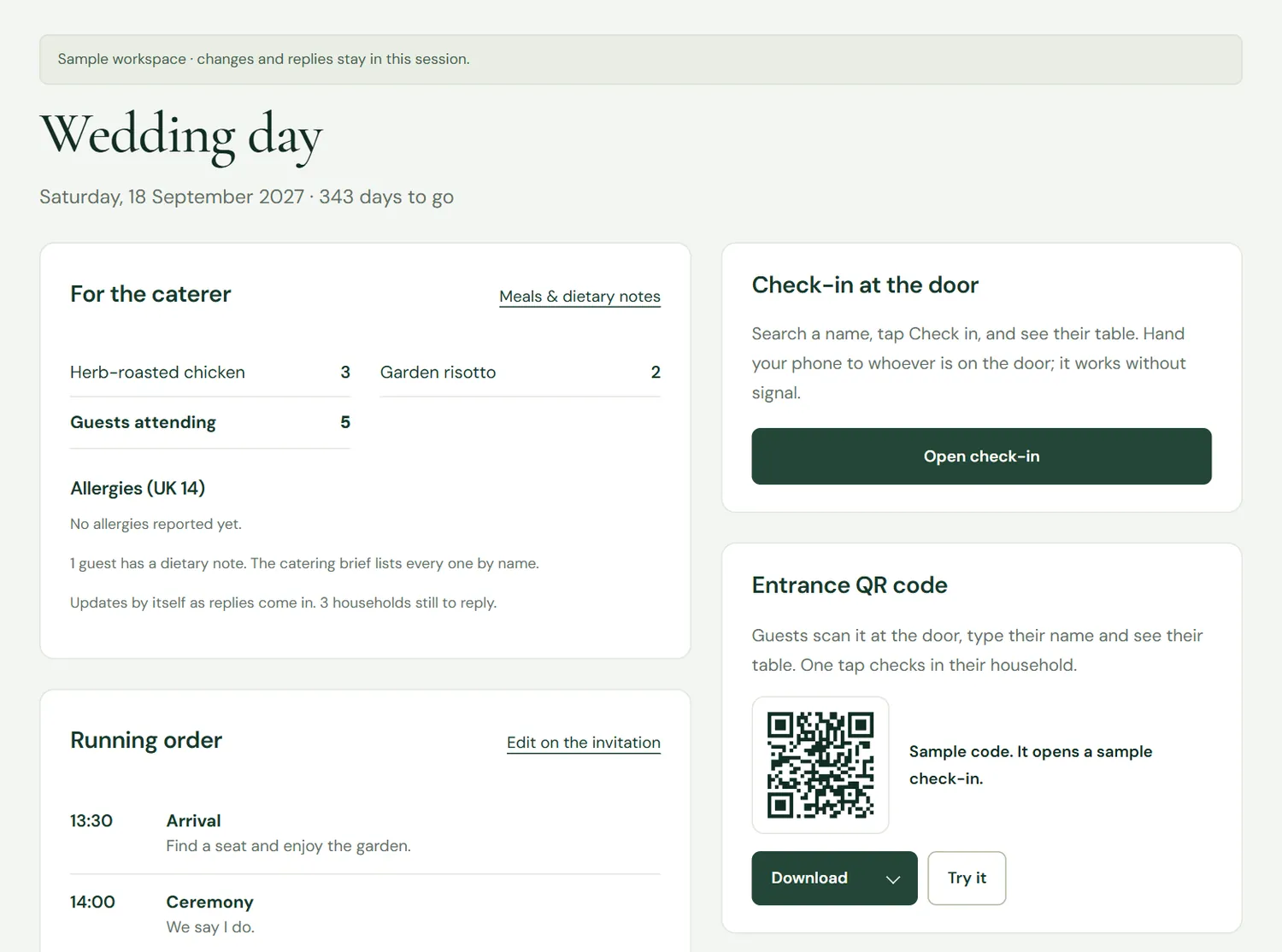
Meal counts, allergies and dietary notes add up by themselves as replies arrive. When the venue asks, download the report they need.
Catering brief (PDF): meals and allergies by table
Organiser printout: every table, guest, meal and note
Seating plan (Excel): tables, guests A to Z and catering in one file
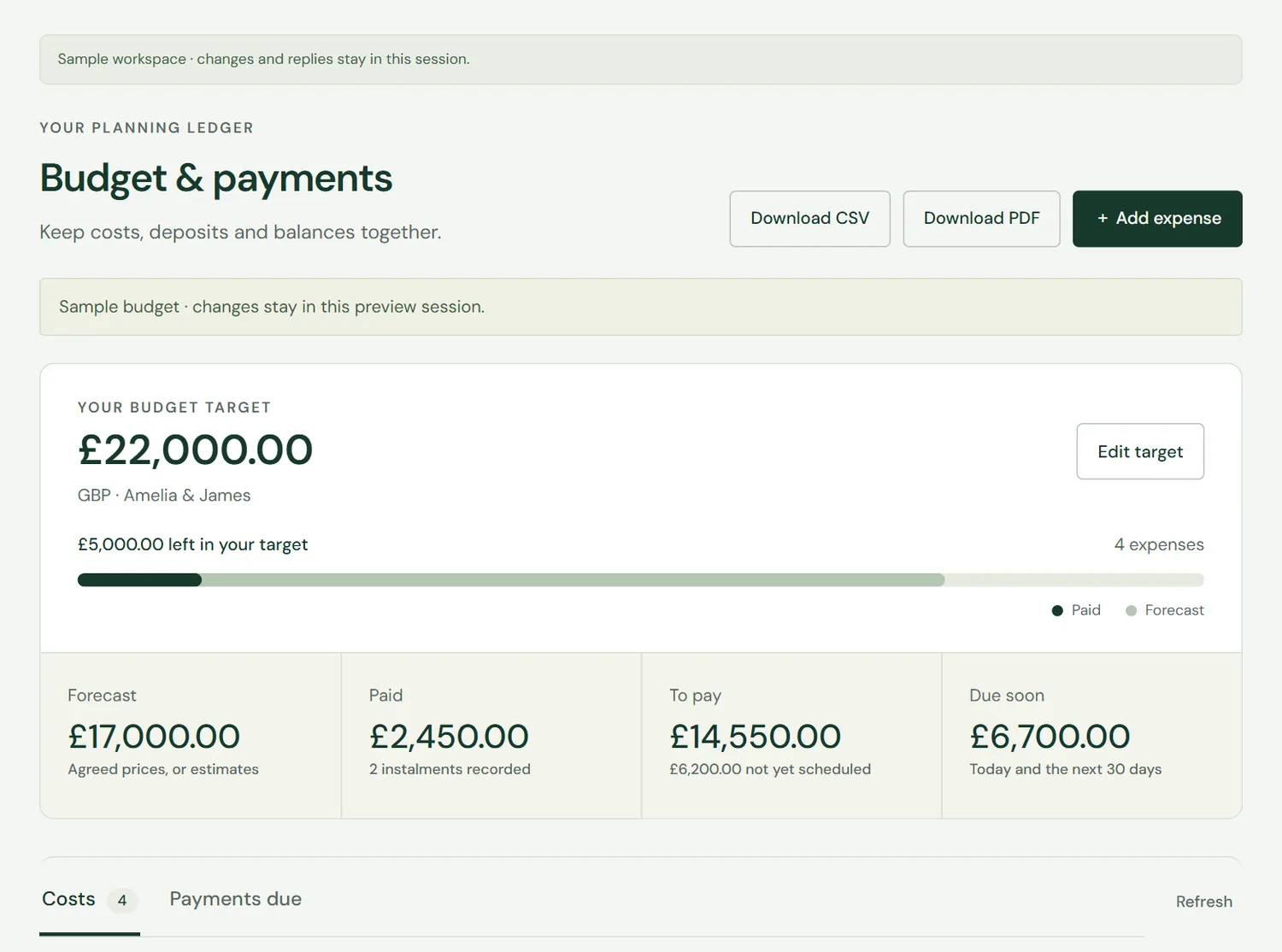
Budget and payments
Keep costs, deposits and balances together.
Set a target, add each cost by category and record deposits and instalments. You can see what’s paid, what’s left and what’s due in the next 30 days.
Payment schedules for each supplier
Download as a PDF or a spreadsheet
Private to you, never on the invitation
Timeline and checklist
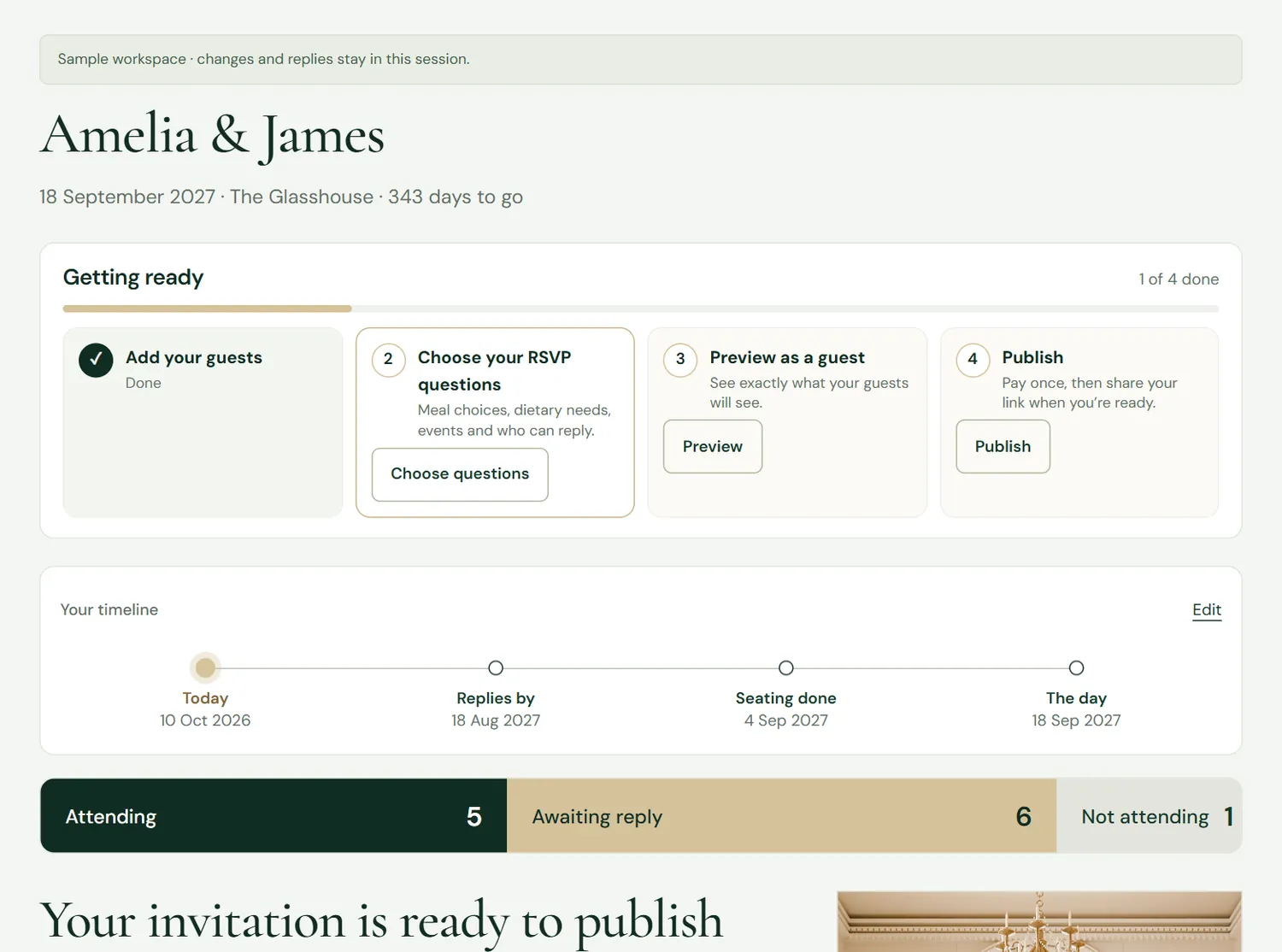
Know what’s next.
Your studio opens on the days to go, your replies so far and the next few things to do. Add your own milestones to the wedding timeline and tick off the planning checklist as you go.
An editable timeline on your home page
A planning checklist that runs right through to after the day
Also in your studio
Working with a planner or venue?You choose which parts of your wedding they can see, and you can change it at any time.
AutosaveYour changes are saved as you go, on your phone or your computer.
Help from a real personReport a problem from the studio. We reply within one working day, and on the same day in the last week before your wedding.
03 · On the day
At the door, everyone finds their table.
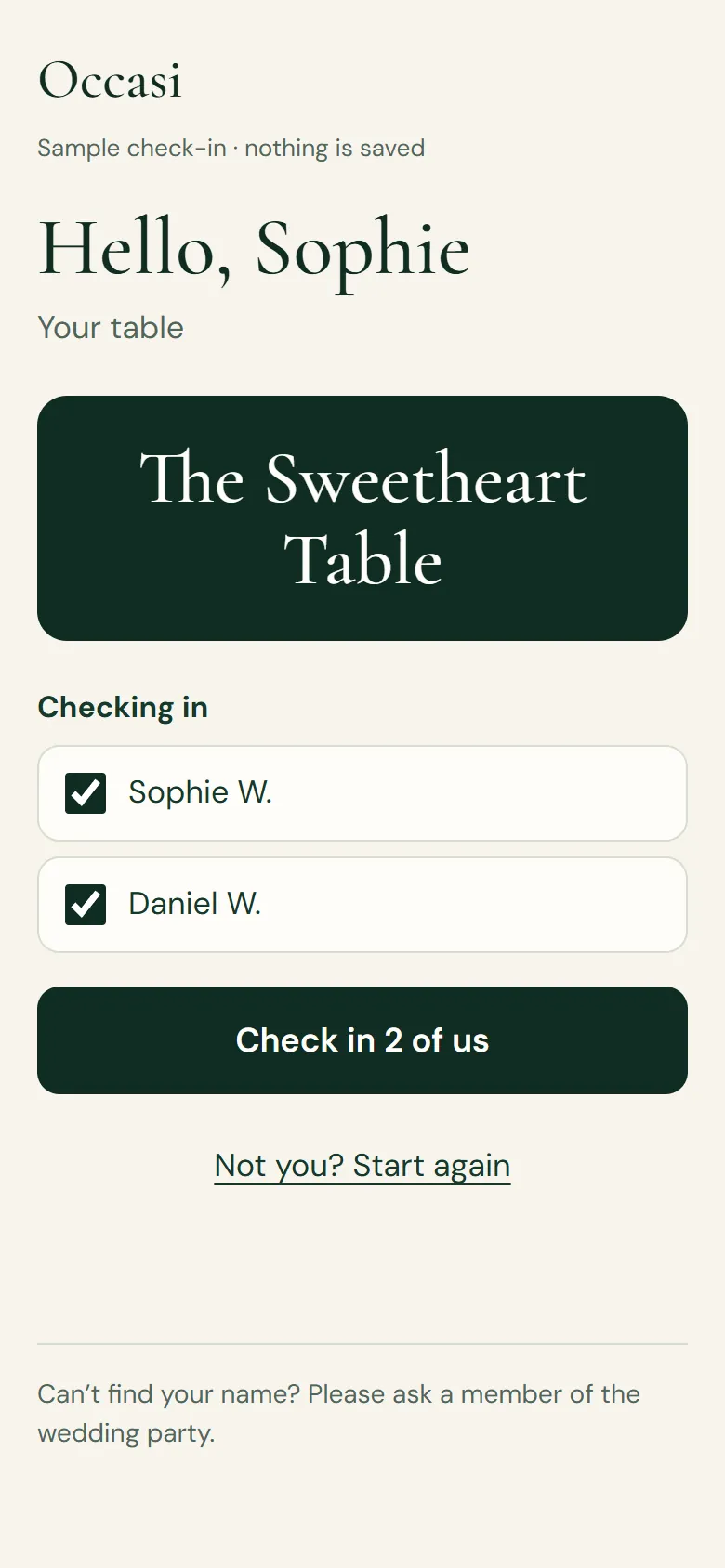
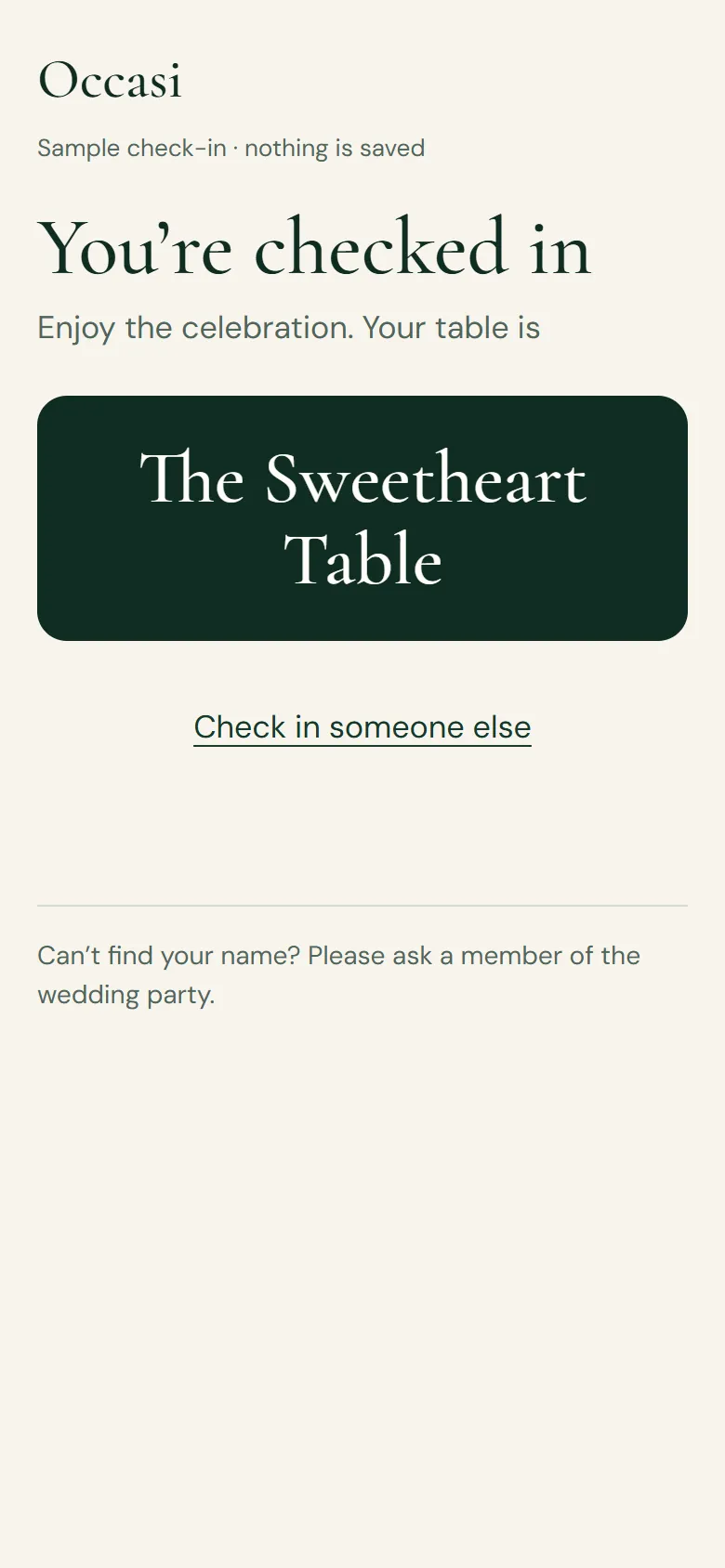
Print one QR code for the entrance. Guests scan it with their phone camera, find their name and see where they’re sitting.
Entrance QR code
Scan, find your name, see your table.
Guests type a few letters of their name, see only their own table and check in their whole household with one tap. Anyone who checks themselves in also shows on your own door list.
A sign to print, or the QR code on its own
Opens once your seating plan is saved
Reset the code at any time and printed copies stop working
Prefer someone on the door? Hand them your phone: they search a name, tap Check in and see the table. It keeps working without signal. The same page holds the running order, the meal totals and everything to print.
Door check-in by name
Running order from your invitation
Seating board, catering brief and organiser printout
Memory book QR code
Every guest’s photos, in one place.
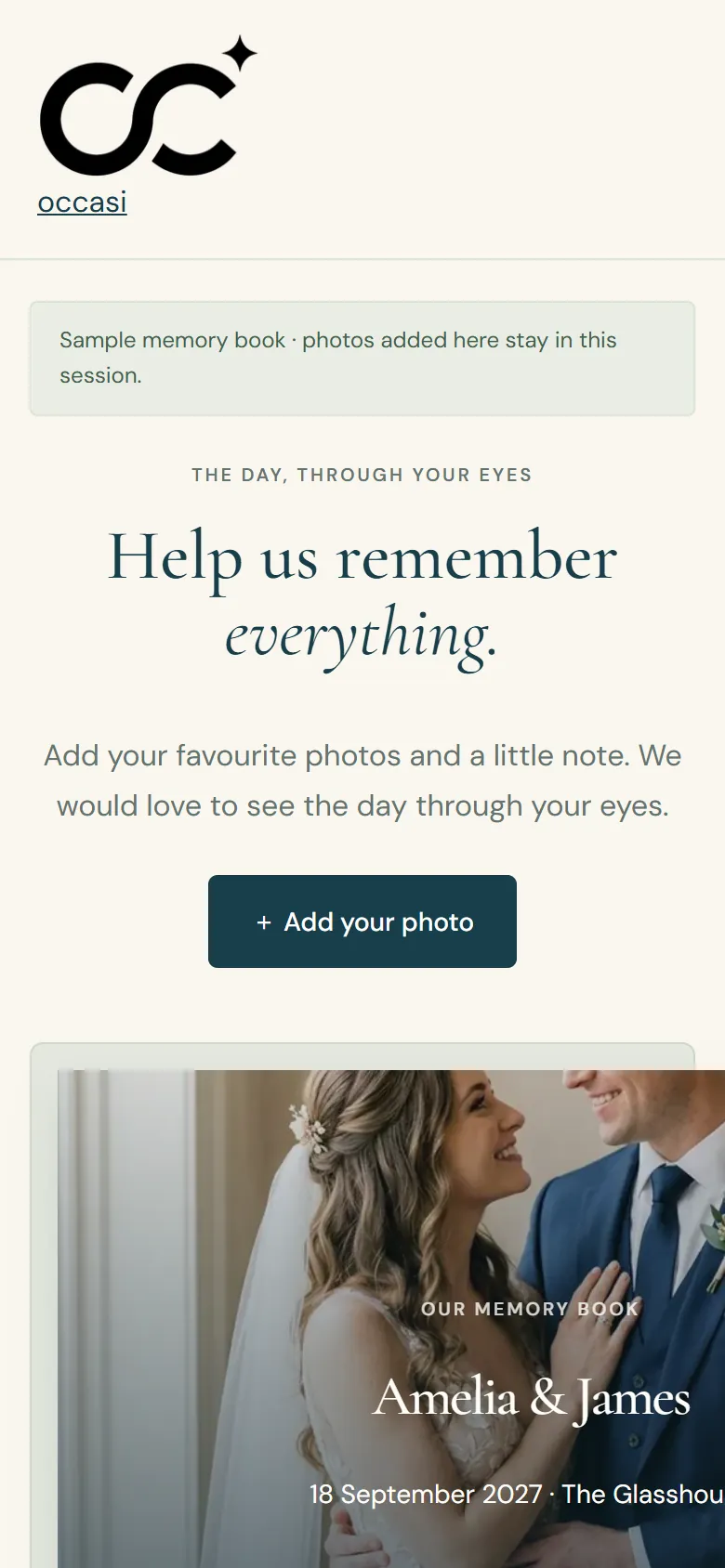
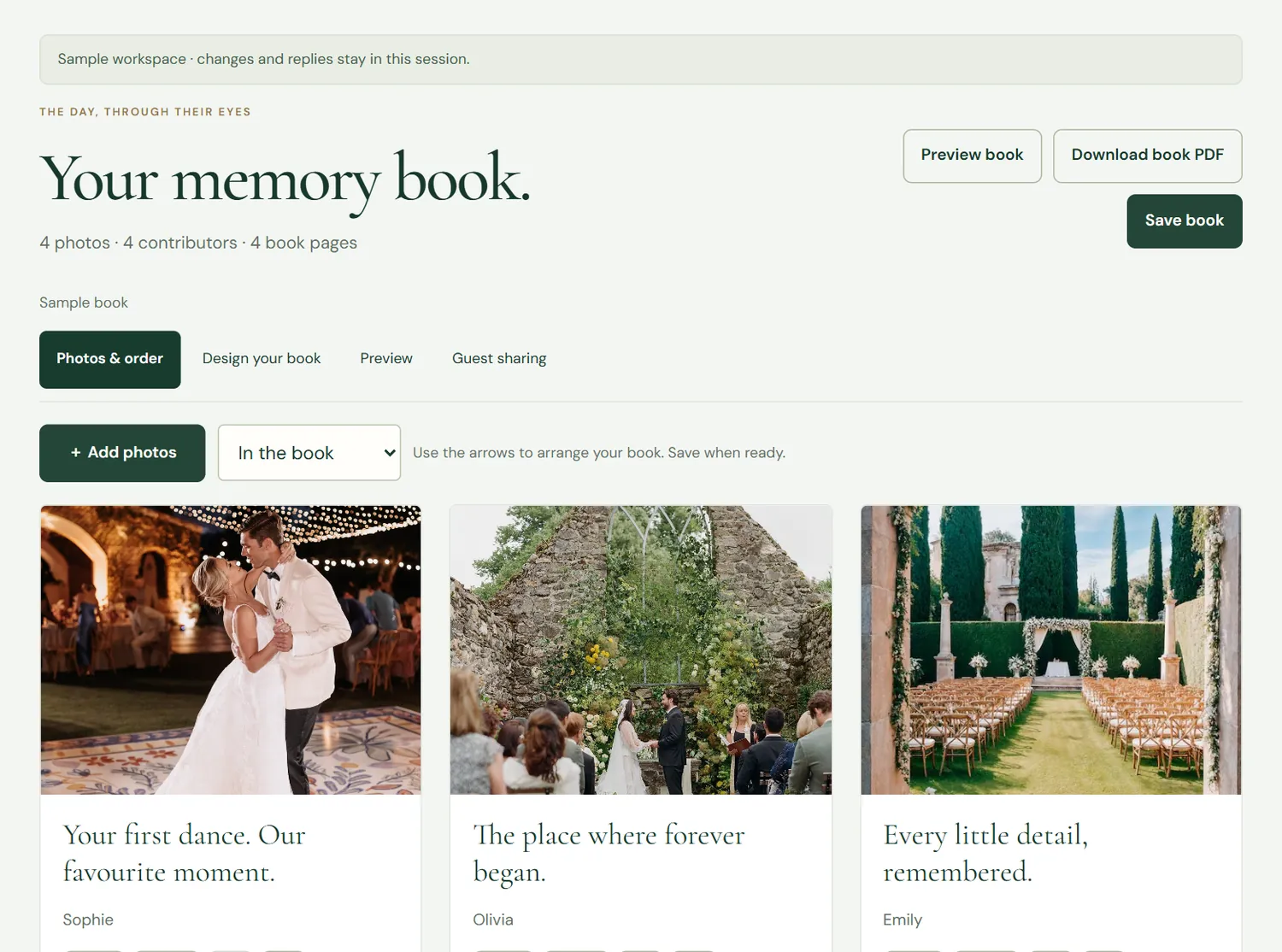
Put a second QR code on the tables or in the invitation. Guests add their photos and a short note from their phone, with no app to download, and everything arrives in your memory book.
Two invitations in any designs, including the Signature films. For a mehndi and a wedding, or one for each side of the family. Save-the-date cards included.
One-off payment. No guest limit and no per-guest fees. Start a private draft for free and pay when you’re ready to publish.
Optional in both: Text invitations (UK, 10p a text), paid per text segment from a balance you top up. You see the exact cost and approve every send.
Good to know
A few questions.
Do Standard and Signature include the same tools?
Yes. Both packages include every planning feature on this page: save-the-date cards, replies for each event, meal choices, the song list, seating, budget, check-in and the memory book. Standard (£49.99) covers one invitation. Signature (£69.99) covers your invitation plus a second one free, in any design including the Signature films.
Do guests need an app or an account?
No. Guests open your invitation, the check-in page and the memory book in their phone’s browser. Only you need an account, to run your studio.
Can I try the studio before I pay?
Yes. Open the studio demo with sample guests, or start your own private draft for free. You only pay when you’re ready to publish.